Do guests need to install an app?
No. The QR opens a web page in the phone's own browser. iPhone, Android, an old Samsung, all work. Guests type their name once and the camera is ready.
Last updated: 22 September 2026
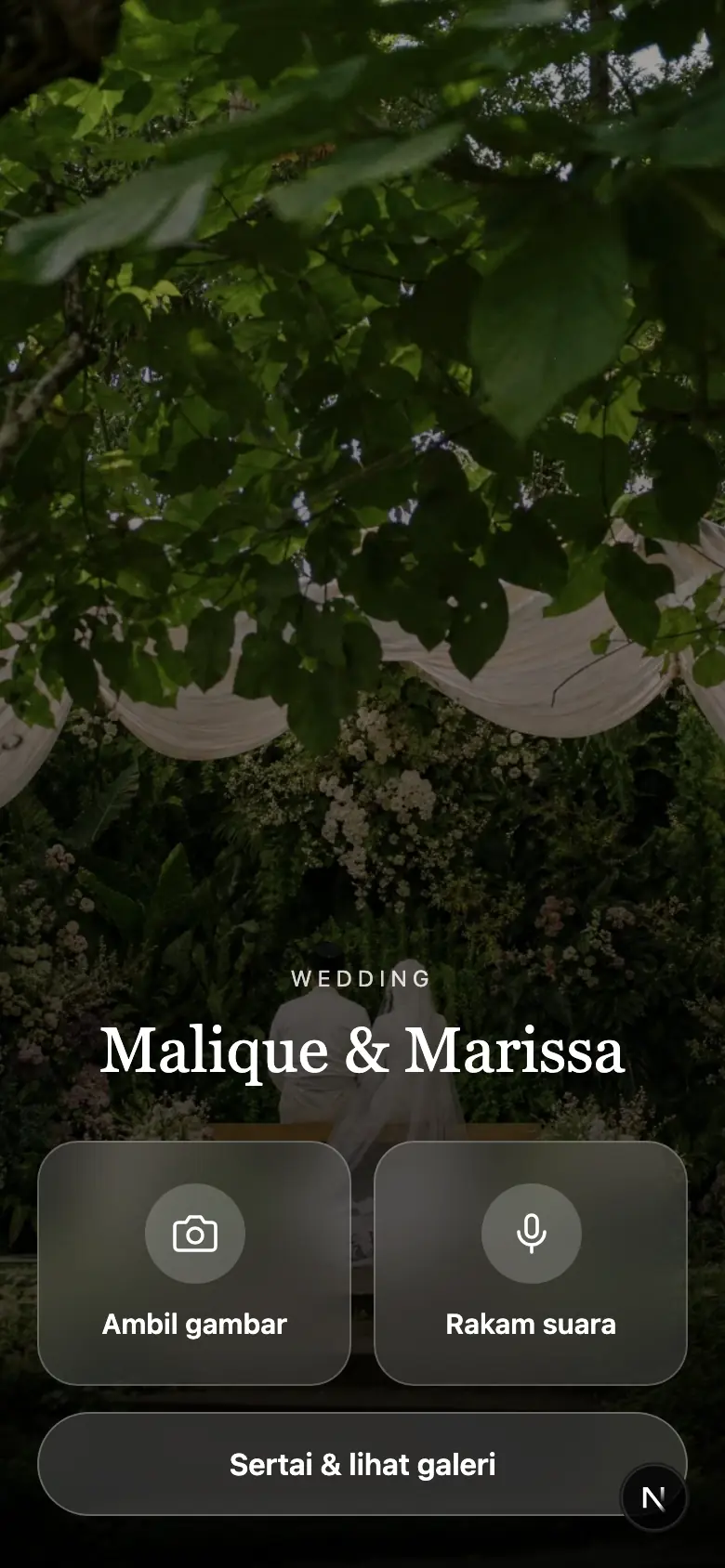
You know the idea: a disposable camera on every table, guests snap away, you get the roll back weeks later. Galeri Majlis does the same thing with the phones already in their hands. Guests scan one QR, take their shots in the browser, and the photos show up in your album before the bunga telur runs out. No app, and nothing to send to the kedai gambar.
Free is the normal way to run it, not a trial. Pay once for the event if you want the live wall on the hall TV and room for every shot.
RM0per event
Put the QR on the table, guests upload from their own phones.
Start freeRM99.90per event
For when you want all of them, not only the newest 50.
Get PremiumRM120one-time
The premium gallery and one invitation card, bought together.
Take the bundleA digital disposable camera is a web page that behaves like a throwaway film camera. The host prints a QR code and puts it on the tables. A guest scans it with their phone camera, the page opens in the browser, they type their name once and start taking photos. Each guest gets a fixed number of shots, the way a Kodak FunSaver gives you 27. Every photo goes straight into one shared album the host controls.
Nobody installs anything. The makcik who has never downloaded an app in her life can do it, because scanning a QR is something she already does at the kedai mamak to see the menu.
Galeri Majlis is our version, made for Malaysian weddings and kenduri. It is bilingual, it splits the album into sessions (nikah, resepsi perempuan, resepsi lelaki) and it lets guests leave a voice note when a photo isn't enough.
Names, date, one of eight themes. If you already have a MajlisKenduri card, the details prefill and the gallery links from the card.
Pick a table tent, poster or sticker design, all free, and print at home or at the kedai cetak. Put one on every table and one at the pelamin.
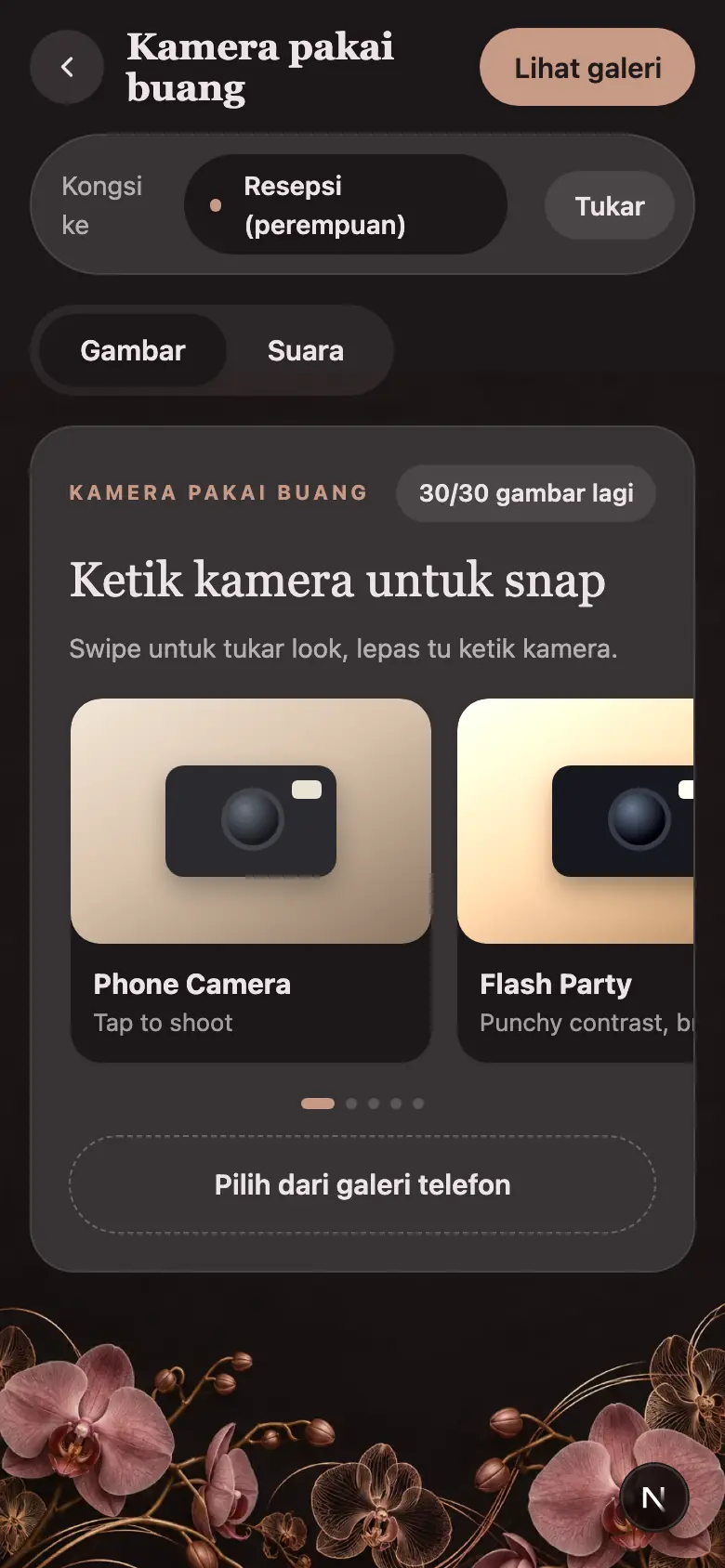
The camera opens in their browser. They choose the session they are at, pick a look, and snap. You set how many shots each guest gets, from 1 to 100.
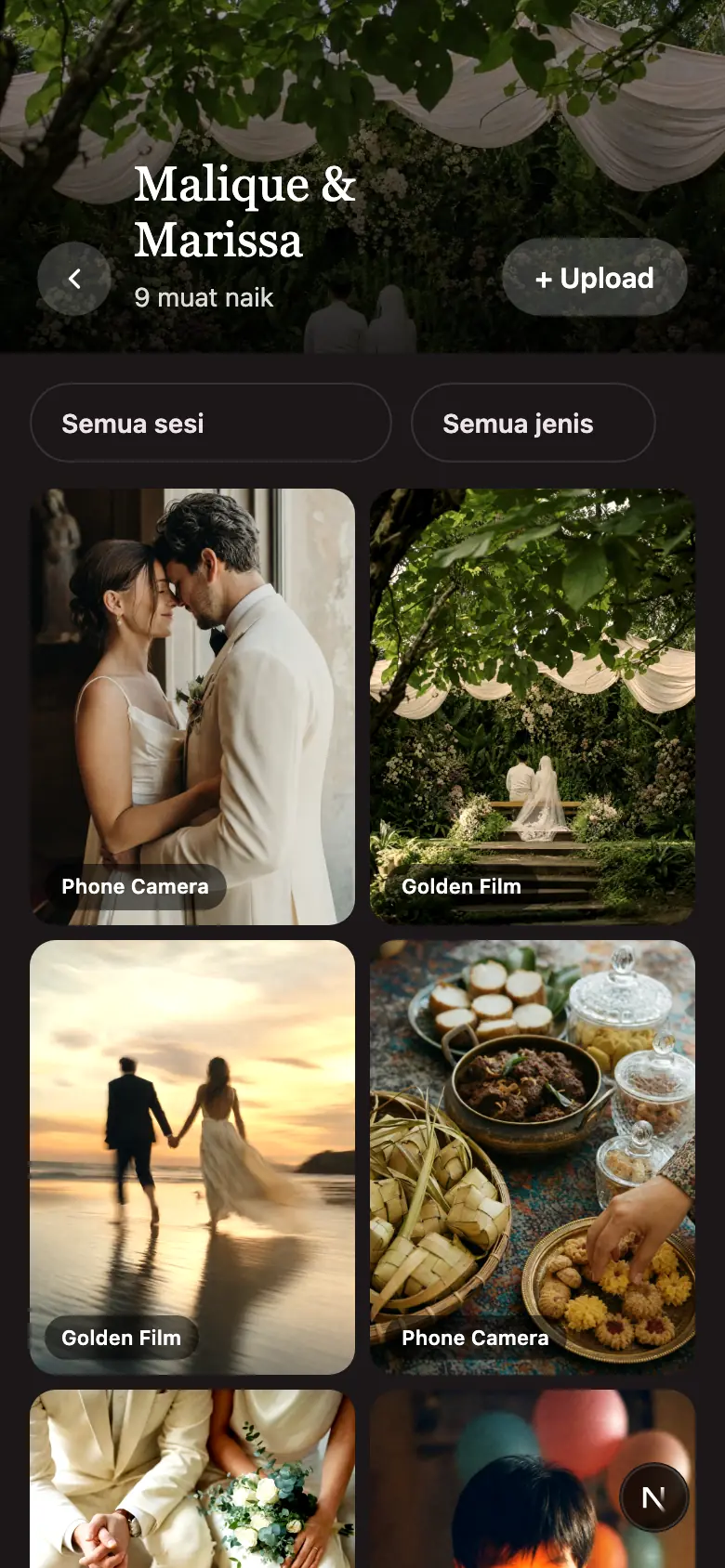
Uploads land in the album as they happen. You can hide anything odd from your dashboard, and on Premium the hall TV can show them live.
Film disposables look lovely on Pinterest and get painful in practice. The comparison below is for a majlis of 20 tables.
| Film disposable cameras | Galeri Majlis | |
|---|---|---|
| Cost for 20 tables | 20 cameras at roughly RM50–90 each on Shopee, plus RM15–30 per roll to develop | Free. Premium is one payment for the whole event |
| When you see the photos | One to three weeks after the kedai gambar develops them | During the majlis |
| Usable shots | A good share come back dark, blurred or of the ceiling | Guests see the preview and retake |
| Shots per table | 27, then the camera is done | You choose, per guest, up to 100 |
| Who took what | No idea | Every photo carries the guest's name |
| Guests keep a copy | No, unless you scan and send | Yes, the album is a link |
| Voice messages | No | Yes, up to a minute each |
| Waste | 20 plastic bodies in the bin | None |
The screenshots above are from a real gallery, shot on our own phones.
The free gallery is not a trial. Up to 500 uploads, the QR, the printable designs, sessions and three months of storage are all included. The one thing guests notice: their album shows the newest 50 photos. You, as host, always see every upload.
Premium is one payment per event. Room for 3,000 uploads, guests see the newest 200 instead of 50, plus the live display for the hall TV or projector, a slideshow you can export, one ZIP download of everything, and six months of storage so a nikah in March and a resepsi in June sit in the same gallery.
The bundle pairs the Premium gallery with one full digital invitation card, for hosts who want the whole day on one link. The three prices sit just under the demo video above.
No. The QR opens a web page in the phone's own browser. iPhone, Android, an old Samsung, all work. Guests type their name once and the camera is ready.
You decide when you set up the gallery, anywhere from 1 to 100. Thirty is the default and feels like a real disposable. Guests see a counter so they know how many are left.
As they are uploaded. Open the album on your phone during the majlis, or on Premium put the live display on the hall TV so everyone watches the album grow.
Yes. From your dashboard you can hide or delete any upload. Hidden photos disappear from the guest album immediately.
Yes. Up to 500 uploads, the QR, printable designs and three months of storage cost nothing. Guests on a free gallery see the newest 50 photos; Premium raises that to 200, holds 3,000 uploads, and adds the ZIP download and the live wall.
Yes. Galeri Majlis is its own product. Create a gallery, print the QR, done. If you do have a MajlisKenduri card, the gallery links from it automatically.
Only people with the link or QR can see the album. You can pause uploads or switch the gallery to view-only when the event is over, hide any photo, and the files are removed at the end of the storage period, so download the ZIP first.
Yes. Wedding, engagement, birthday, dinner or party, chosen when you create the gallery. Weddings get nikah and resepsi sessions by default; for anything else you name the sessions yourself.
Create the gallery and print the QR. The tetamu do the rest. Free to start, no card required.
Create a Free Gallery